
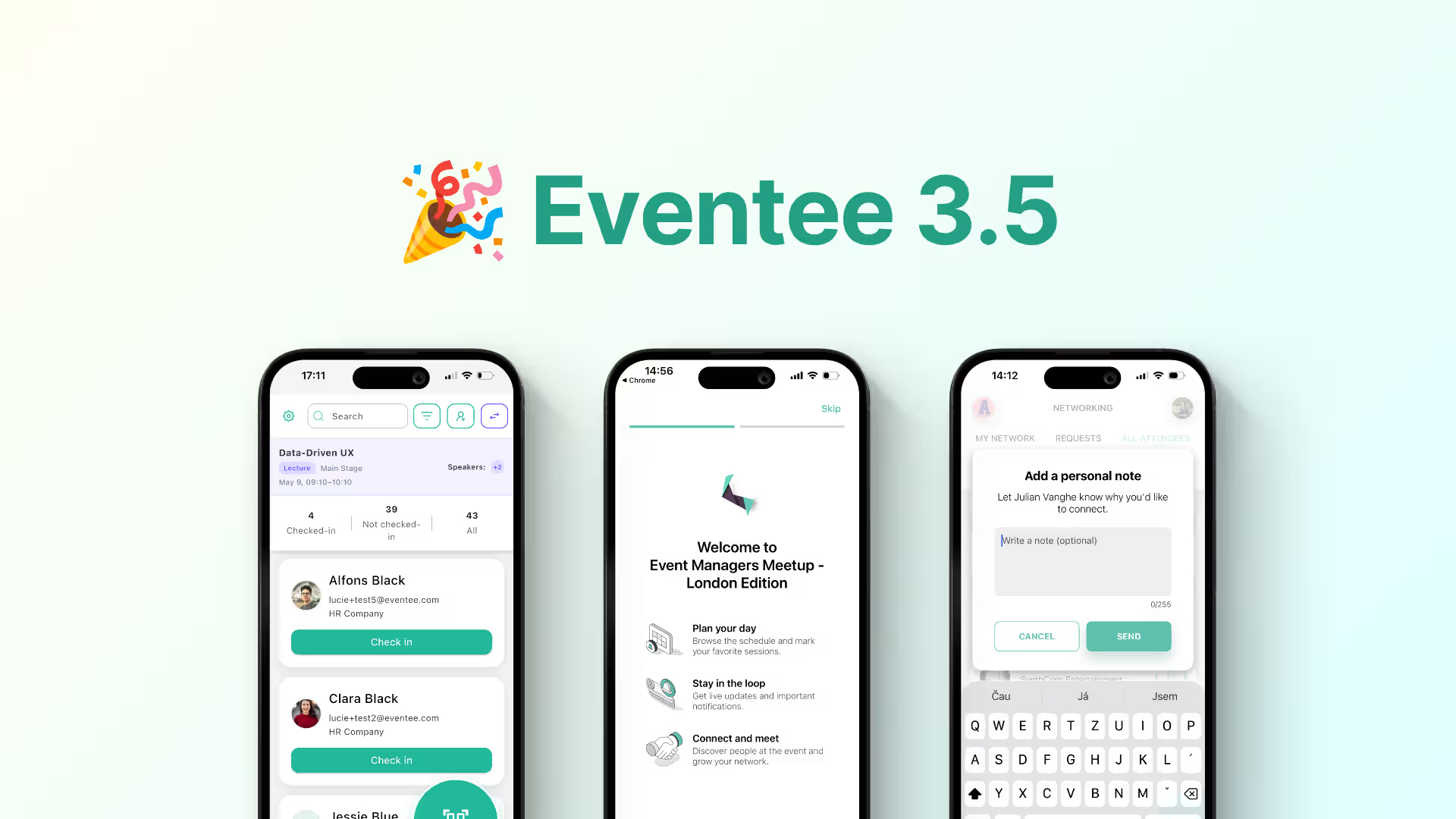

Since Eventee 3.4, we've rolled out quite a few updates to Eventee, and it's time to round them up. In case you missed them, the highlights are session check-in, workshop assignments and new networking options, plus a few improvements to Settings and the attendee app that make the experience smoother for you and your attendees.
All of these are already available, so you can try them out yourself. Let's take a look!
🎟️ Session check-in
Checking people in at the main entrance is just the beginning. Some sessions have limited seats, like workshops or masterclasses. Others are mandatory or count toward completing a course or certification. Either way, you need to know exactly who was in the room. That's where session check-in comes in. It allows your staff to check attendees in to individual sessions (lectures or workshops), not just the event itself.
Everything comes together in the new Sessions tab, which you'll find under Content. It gives you one clear overview of all your sessions, where you can see who's assigned to each one and who's already checked in.
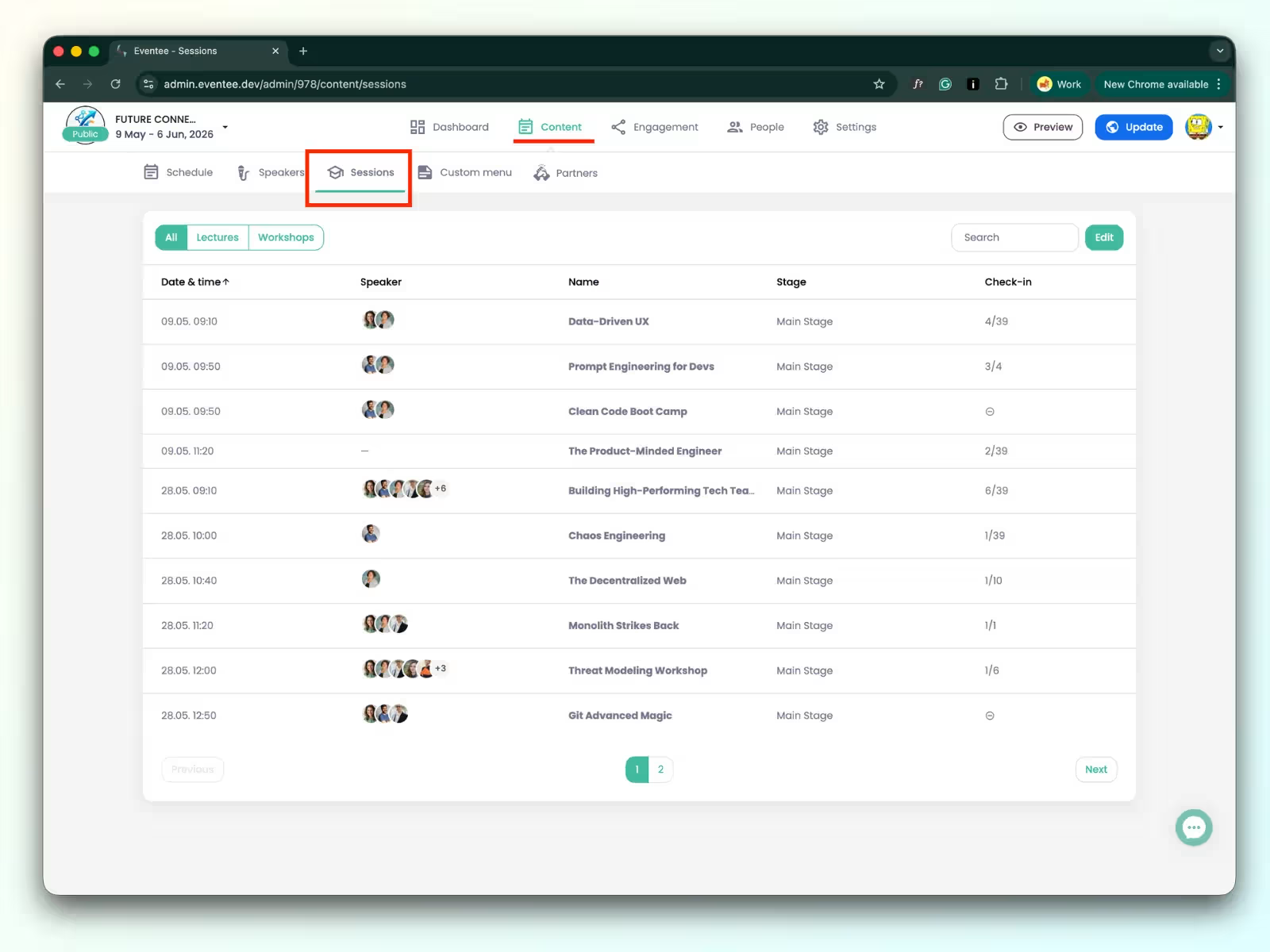
Want to try it at your next event? Our help article walks you through how to set up session check-in in the admin.
🧩 Assign attendees to workshops
You already have a final list for each workshop? Great! Now you can assign attendees to workshops right in the administration. You can assign both attendees who registered through Eventee and those you upload yourself. Their booking is created in the app automatically. Attendees know their spot before they arrive, and you stay in control of who goes where.
See who's assigned to each workshop and manage bookings in the new Sessions tab under Content.
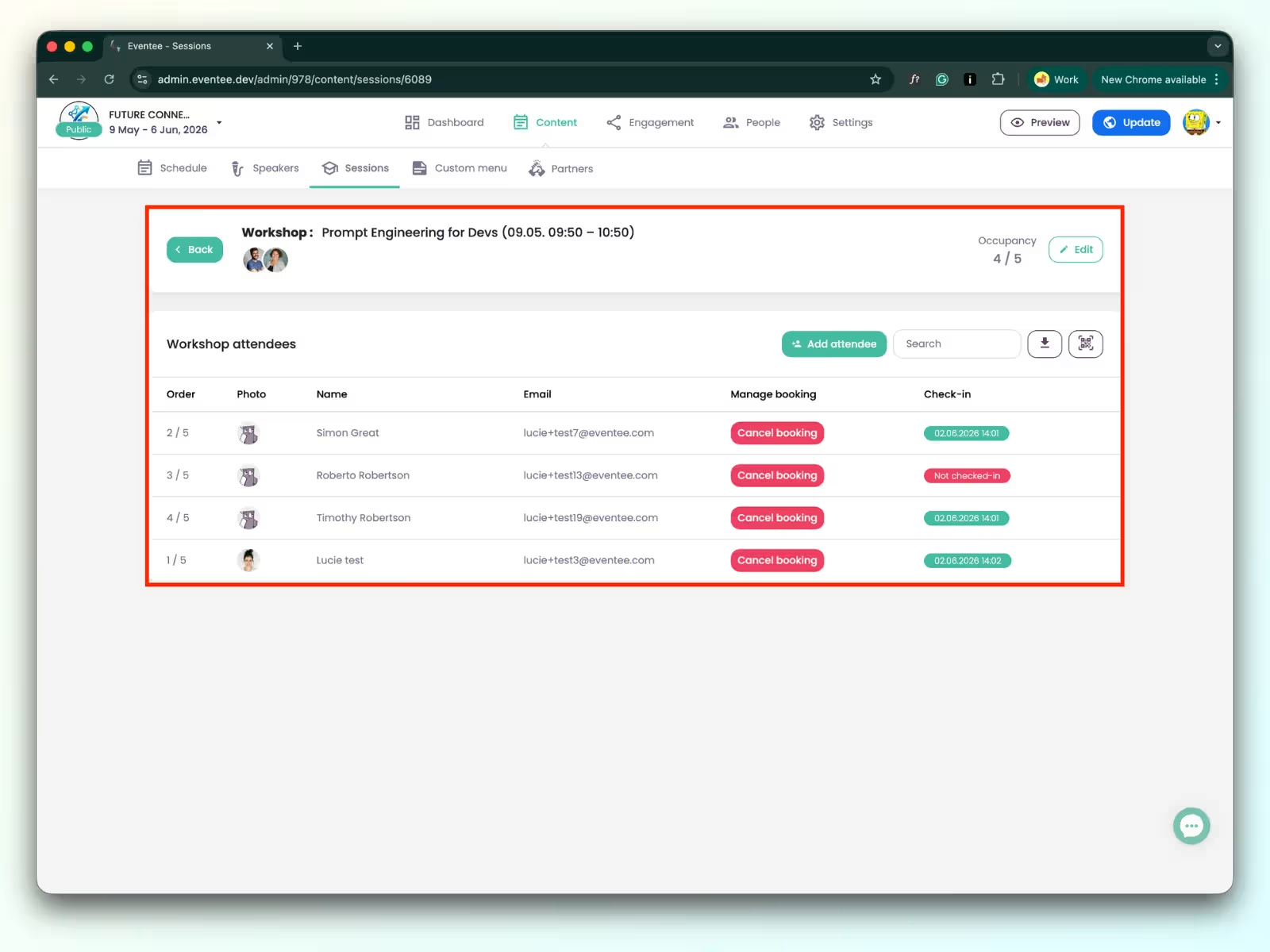
Workshop assignments work on their own, but if you also turn on check-in, the two go hand in hand: you'll see who should be there and who actually showed up. That's your real show-up rate, because a workshop can be fully booked and still have empty seats when plans change and not everyone remembers to cancel.
- No guessing = you know who's booked for each workshop
- No overbooked rooms = you manage the bookings
- No spreadsheets = everything lives in Eventee
🤝 Networking improvements
Networking is one of the main reasons people come to events, so we keep making it better for both you and your attendees. Here are two updates worth knowing about.
Opt-in or opt-out networking
Every event is different, and so is the way people network at it. Now you have more control over how that works at yours.
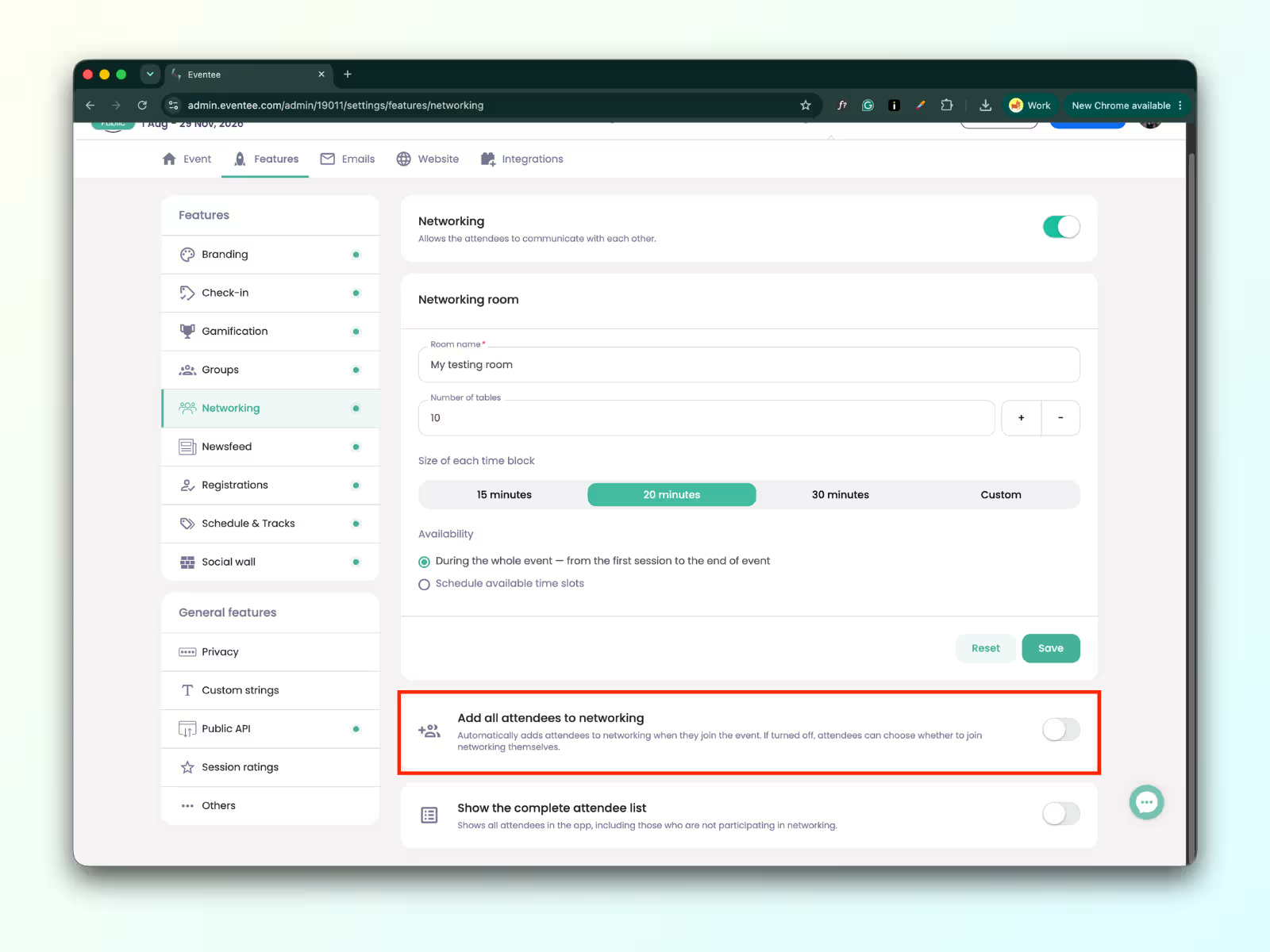
You can decide whether networking at your event is opt-out or opt-in. If connecting people is a key goal, you may want to include all attendees in networking by default. If your audience values privacy, you might prefer to let attendees choose whether to take part. You can set it up to fit each of your events.
Let attendees introduce themselves
For attendees, there's one more improvement. A connection request without context is easy to ignore. Now your attendees can add a short introduction when sending a connection request: who they are, why they'd like to connect, or what they'd like to talk about. The result? More accepted requests and more meaningful conversations.

✨ And there's more…
Redesigned Settings – The Features section got a cleaner layout, so you can see at a glance which features are on for your event. Want to add or remove one? Just flip its toggle.
Emails have their own tab – As part of the Settings redesign, all the emails Eventee sends on your behalf, from app invitations to RSVP and confirmation emails, are now in one place. That's also where you can customize their colors and banner.
Export gamification players – You can now export a detailed overview of your Gamification players: who they are, which interactions earned them points, and when they were last active.
A smoother start for attendees – When attendees join your event, a quick welcome flow introduces its features and helps them set up notifications, attendance mode, and their profile (which got a fresh design too!). The onboarding adapts to the features active at your event.
🎉 That's a wrap!
If you haven't tried these features yet, now's a great time to log in and give them a go. As always, your feedback shapes what we build next, so let us know what you think.