

Whova is an all-in-one event management platform that offers a comprehensive set of tools for event managers to run their virtual, hybrid, and in-person events.
It’s quite the versatile tool with features for myriad aspects of event planning, from the backend needs of organizers to the engagement of attendees.
When it comes to Whova’s customers, the platform has numerous leading brands under its belt, like L’oréal, Berkeley University of California, or the Rockefeller Foundation. It’s mainly used for planning, running, and analyzing events, whether they’re in-person, virtual, or hybrid.
But as with any other key player, even the titans of the industry have their weaknesses. Which is why you’re here – to find a Whova alternative for your spectacular event experiences.
Disclaimer: Pros and cons of each mobile event app are based on user reviews on G2, Capterra, TrustRadius, Software Advice, or other software review sites, not on personal opinions!
What is Whova?
As a comprehensive event management software, Whova comes packed with features — so many that you might not even get to try them all. So, let’s explore some of them!
Event management software
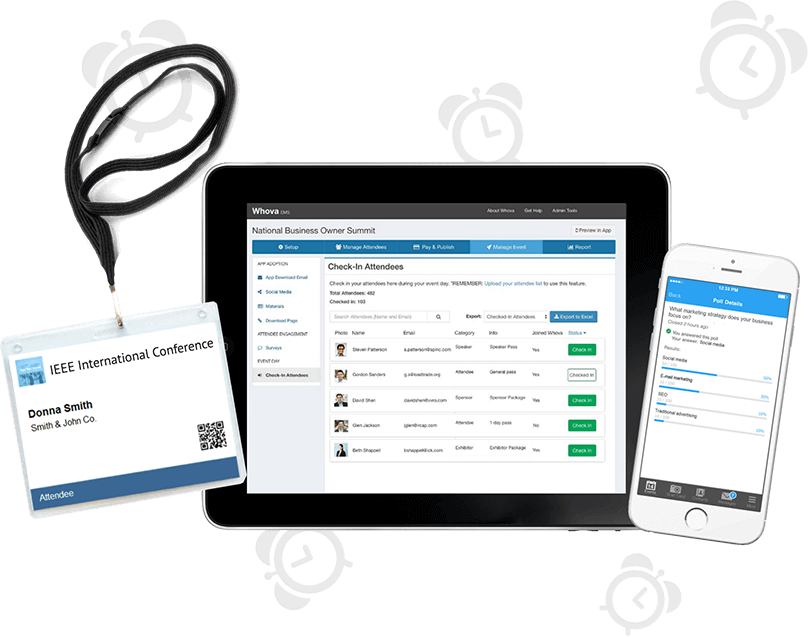
The platform provides various tools for event management, such as registration, ticketing, check-in, and name badges with templates.
From customized registration forms to retargeting campaigns for “abandoned” registrations, or tailored confirmation emails, Whova’s got it all.
Attendee engagement
Whova offers a dedicated event app with some of the classic features, like a personal agenda, interactive maps, push notifications, or engagement features, such as live polling, social wall, and networking.
Despite a bit of an outdated design, the app is a great event companion, praised especially for its networking abilities.
Promotion and Sponsorship
And last but not least, Whova also provides its customers with special promotion and sponsorship tools to let the world know about their events.
Customers can, for example, build a dedicated event website with built-in templates to promote their events. It’s a useful tool for everybody who doesn’t want to struggle with complicated website builders or pay for expensive website designers.
💰 How much is Whova?
Whova’s pricing is geared toward enterprise users, and the platform doesn’t provide transparent pricing on its website, so there’s no way to know how much the platform costs without contacting the sales team first.
Not knowing pricing can significantly prolong the decision-making process since you have to contact the sales team and then calculate the price.
Customers can’t easily compare the value against competitors if they don’t know the full price structure. There is also the threat of unexpected add-on fees or setup charges.
Why event managers look for Whova alternatives
While Whova is consistently praised for its valuable event management features and easy networking capabilities, it doesn't mean it will suit everybody.
Every event is different and unique. That’s why each occasion has its own specific requirements, which Whova might not fulfill. But no need to panic because there are plenty of other solutions, each unique in its own way, to carry out your deepest desires.
Here’s a breakdown of the 5 most common reasons event organizers look for other Whova alternatives.
#1 Cost concerns
Budget is one of the crucial aspects event managers need to consider when planning an event. The increased price of putting on events can be truly challenging to overcome.
In fact, 46.3% of event professionals consider it the biggest challenge they face. And event apps can be a real strain on your pocket.
So, while you might not want to choose the cheapest event app option with poor usability, you also don’t want to pay for an overpriced solution that is not worth the headache.
Whova isn’t very transparent about its pricing, and interested organizers need to request a price quote to find out how much it’s going to cost, so there’s no way to know how much your event would cost without contacting somebody.
However, some users say the platform can be rather expensive, especially for small or budget-constrained events or if you don’t need all the bells and whistles. Some even mention hidden costs for add-ons.

#2 Spam and overwhelming notifications
With hundreds of emails coming to the inbox every day, nobody wants to be unnecessarily bombarded by alerts for every little update or message.
Whova users often complain about overwhelming notifications, whether it’s aggressive email marketing or notifications coming from the app. Some turn off notifications entirely because it “buzzes” too much, and it can be distracting.
#3 Dated and cluttered user interface
While many people enjoy Whova’s ease of use, many users also find the user interface difficult to navigate with cluttered discussion boards, especially on mobile devices. It’s easy for users to get lost or overwhelmed.
When people get confused, they are 40% more likely to turn the app off. They don’t want PDFs or long videos to learn to understand the app. The best kind of platform is the one with which you can get familiar in minutes.
#4 Overkill of features for smaller events
Aside from the classic features, Whova also offers many specific and complex tweaks that might not be necessary for smaller, local, or just simpler events that don’t need or want the full feature set.
With key players like Whova, one might think that event planners need excessive and unnecessary features too complicated to master. But having worked in the event tech industry for quite some time, I’ve learned that event planners mainly seek platforms for these purposes:
- serve as a single source of event information,
- offer registration (+check-in),
- boost attendee engagement (including in hybrid format),
- clear and intuitive agenda management, and
- support networking.
All of this, plus having a positive ROI, event managers need to be sure that such a platform will pay off.
For event managers looking for these features, platforms like Whova can be more complex than necessary.
#5 Long implementation time
With more complicated features also comes the price of longer implementation. On G2, it is said that it takes 2 months to implement the Whova platform on average, based on real user reviews.
While it is generally recommended to start implementing an event app as early as possible, 2 months can be too long for shorter events, like team-buildings and other corporate events, community meetups, or university workshops.
#6 Limited app translations
According to App Store Preview, the app is translated into English, French, and simplified Chinese. Whova also offers business card scanning feature which now supports cards in English, Chinese, and Korean.
Whova's website says that the event content like session titles, descriptions, etc. can be shown in other languages if the organizer provides translated content. However, the built-in labels for icons and section titles cannot be changed from English to other languages.
🤔 How do I choose the right Whova alternative for my event?
Seekers of event apps typically go through a lengthy process before committing to one solution. It’s usually because the platforms are quite pricy, and they want something stable so they don’t have to change the event solution after each event, depending on what suits them.
Finding the ideal Whova alternative can be tricky, but not impossible, especially if you follow 3 simple steps:
1. Do your research
Use the tools you already like using – ChatGPT or an AI of your choice, search Google, and G2 or other software directories.
Before crafting a special prompt or typing keywords into a chosen search engine, think about what you would expect your Whova alternative to do.
- Do you need it to be more user-friendly?
- Or perhaps with a different set of features?
- More customizing capabilities?
- Or less expensive?
Try thinking about what didn’t work for you when using Whova, and use those points to find a better alternative.
2. Request demos (optional)
After finding the finalists, you can book demos with their sales teams to see the platforms in action and ask about any unclear questions you may have about the product.
As I’ve already mentioned, event managers typically don’t make hasty decisions when it comes to event apps, so many of the platforms have dedicated sales teams ready to meet your exact needs.
But it’s important to mention that this step is optional. If you don’t want to talk to multiple people and would like to manage it all on your own, or you’re in a hurry, there are self-service solutions that allow you to create your event app by yourself. Plus, they typically offer a free trial to discover what your own dedicated event app might look like.
3. Compare and decide
Now, you should have everything you need to compare and decide on the best solution. Go through your notes thoroughly – you don’t want to go through the entire process again if it doesn’t work out.
🔥 What are the best Whova alternatives in 2026?
And now onto why you’ve come here – let’s find you the ideal Whova alternative for your unique event experiences.
Disclaimer: Pros and cons of each mobile event app are based on user reviews on G2, Capterra, TrustRadius, Software Advice, or other software review sites, not on personal opinions!
To make things even easier for you,we've created this comparison table:
1. Eventee
Overall rating: 4.8 G2, 4.8 Capterra, 4.9 Apple Store, 4.6 Google Play
Pricing: extremely cost-effective solution with a transparent pricing policy
- unlimited free trial
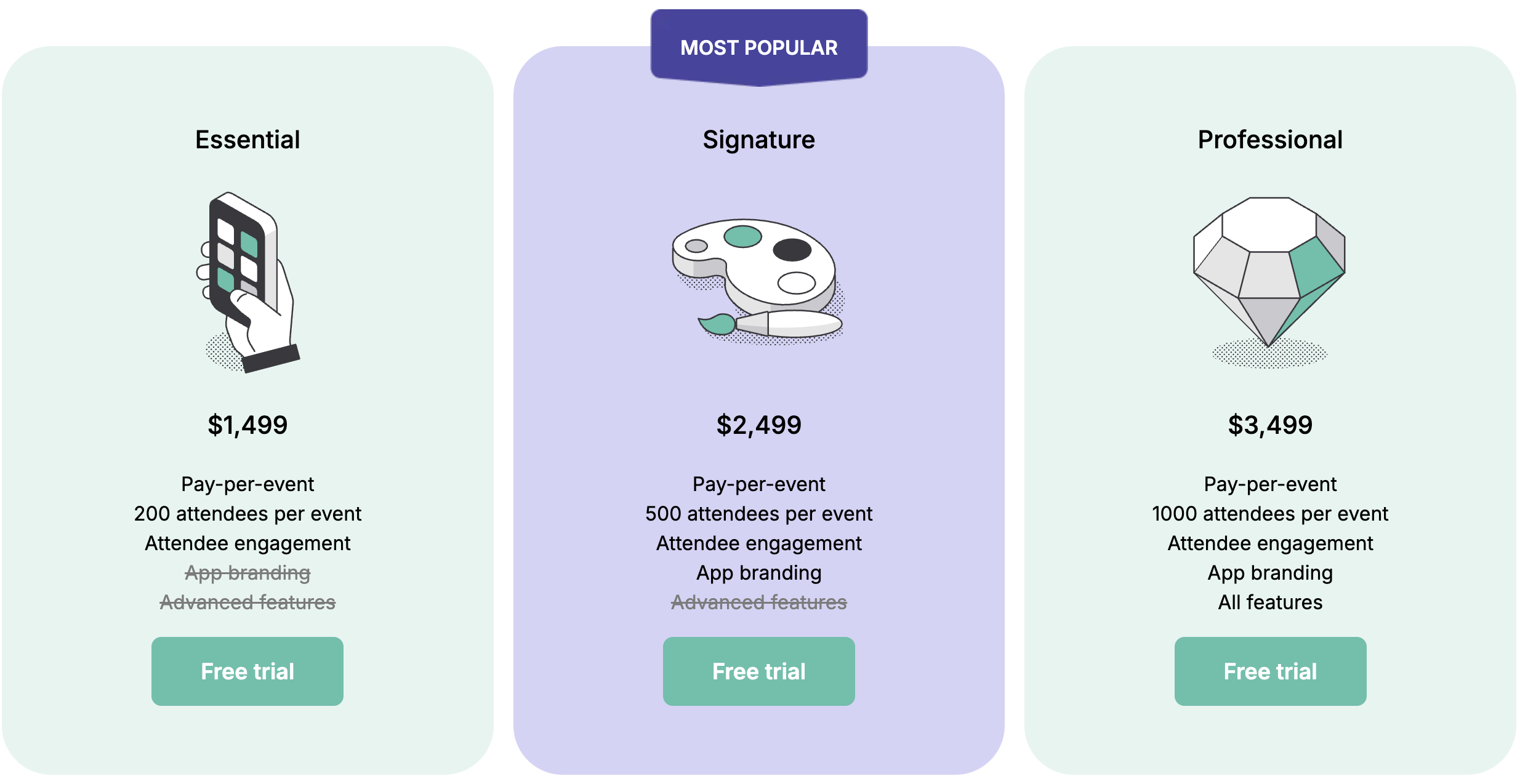
- Single-event licenses are a one-time purchase for organizing a single event. Three tiers are available, each differing in the features included and the number of attendees supported.
- Essential — $1,499 (up to 200 attendees)
- Signature — $2,499 (up to 500 attendees)
- Professional — $3,499 (up to 1,000 attendees)
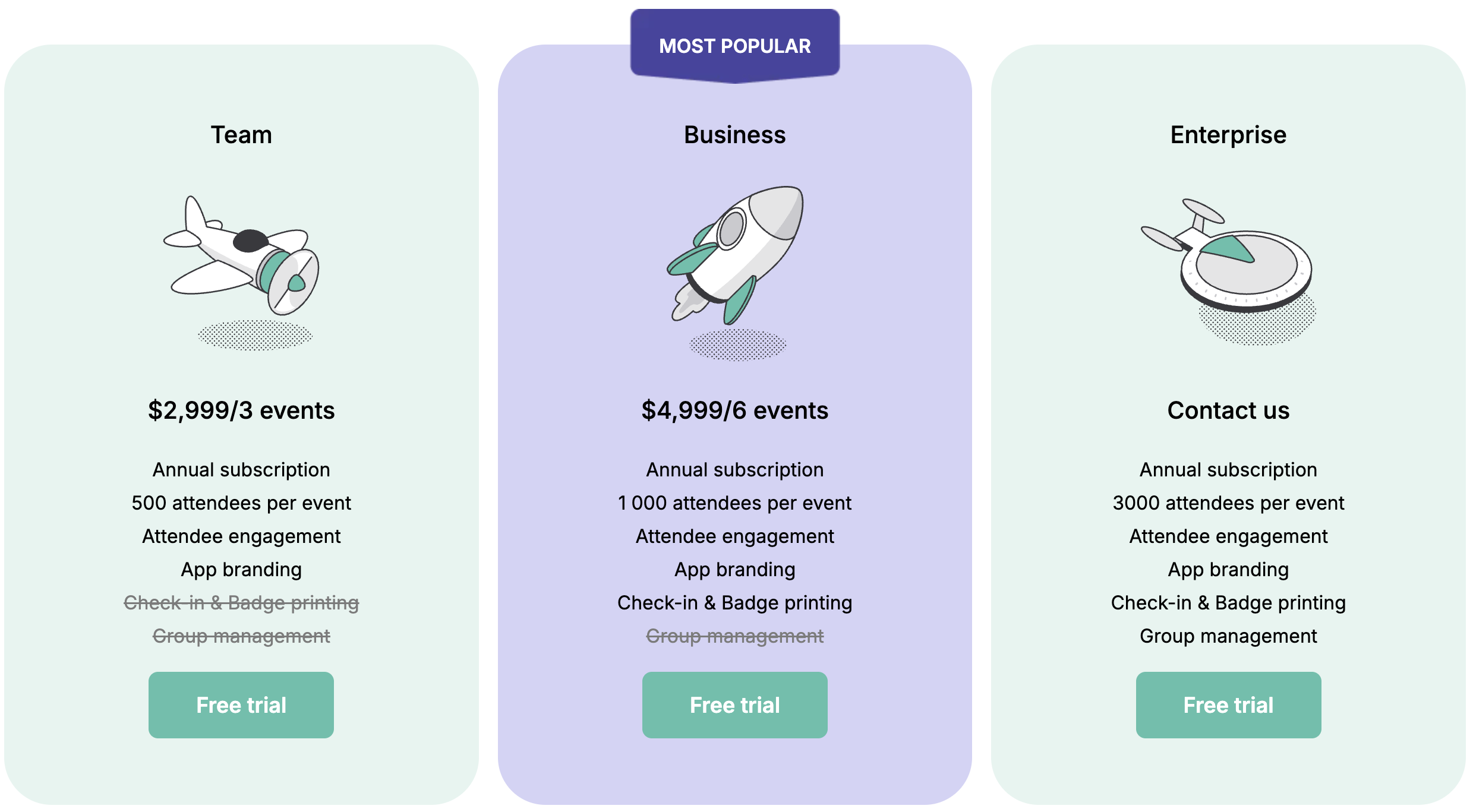
Subscription plans are designed for organizations running multiple events throughout the year. Three tiers are available, billed annually with different features.- Team — $2,999/year (up to 3 events, 500 attendees per event)
- Business — $4,999/year (up to 6 events, 1,000 attendees per event)
- There are no hidden fees, and its self-service approach allows event organizers to select any add-ons they require
Customer support: Eventee’s self-service approach ensures event managers don’t need to contact customer support for every little detail. But if there is a need, Eventee offers help via email, knowledge base, and chat. The team also offers free onboarding and has a dedicated account manager.
Integrations: ticketing services (Eventbrite, GoOut, TiTo, Mitingu), Google Analytics 4, streaming and video hosting (YouTube, Vimeo, Twitch, Facebook Live, Zoom, SlidesLive, Whereby), online meeting tools (Google Meet, Microsoft Teams, Skype,...), Zapier, Mailchimp. The platform also provides a public API.
For some, ease of use is a must; for others, it’s a plus. The team behind Eventee believes that event planning shouldn’t be rocket science, and so they focus on simplicity instead of function clutter.
Rather than having every needless feature in the book, Eventee focuses on making the basic features work effortlessly. Their mission is to create an event management platform for everyone, even first-time users.
The platform is typically used by top event organizers and leaders in charge of universities, corporate or enterprise events, conferences, expos, governments, NGOs, event agencies, and more.
For organizers who prefer an end-to-end solution rather than juggling multiple tools, Eventee provides a straightforward way to cover most steps of the event planning process with minimal effort. Setting up an event app takes only about ten minutes.
What stands out about Eventee to me, beyond its simplicity, is that it’s constantly evolving. The team keeps releasing updates rather than stagnating.
One of the most recent additions, registration and check-in features, turns Eventee from an event engagement app into a complete event management solution and a strong alternative to Whova.
Key Eventee features
Event management platform
Until recently, Eventee focused mainly on event engagement. The introduction of registration and check-in features, however, has turned it into a true end-to-end event platform.
With Eventee, organizers no longer need to switch between multiple tools — they can manage the entire event in one place. This makes it a strong alternative to Whova.
Eventee now offers essential event management tools such as registration, check-in, an intuitive agenda builder, analytics, and insights from sessions, partners, and networking activities.
Attendee engagement
Eventee offers two attendee channels in every plan – an event mobile app and a web app, which allows organizers to communicate important event updates and provide a dedicated attendee hub.
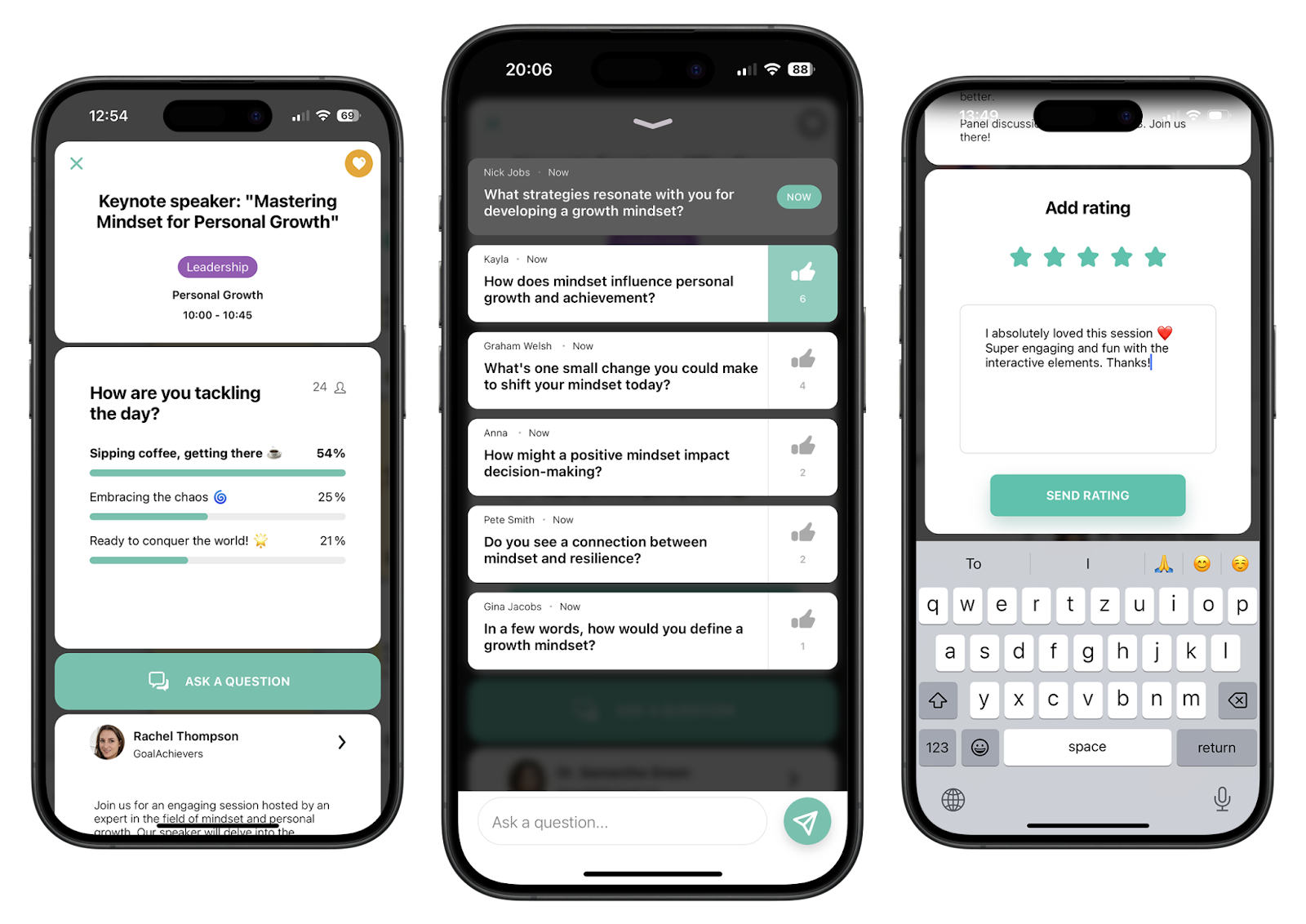
Both the event mobile app and web app (accessible from a desktop without downloading anything) include the classic features like personalized agenda, networking, push notifications, social wall, engagement features (live polling, Q&As, gamification), and a custom menu for venue maps or other important documents.
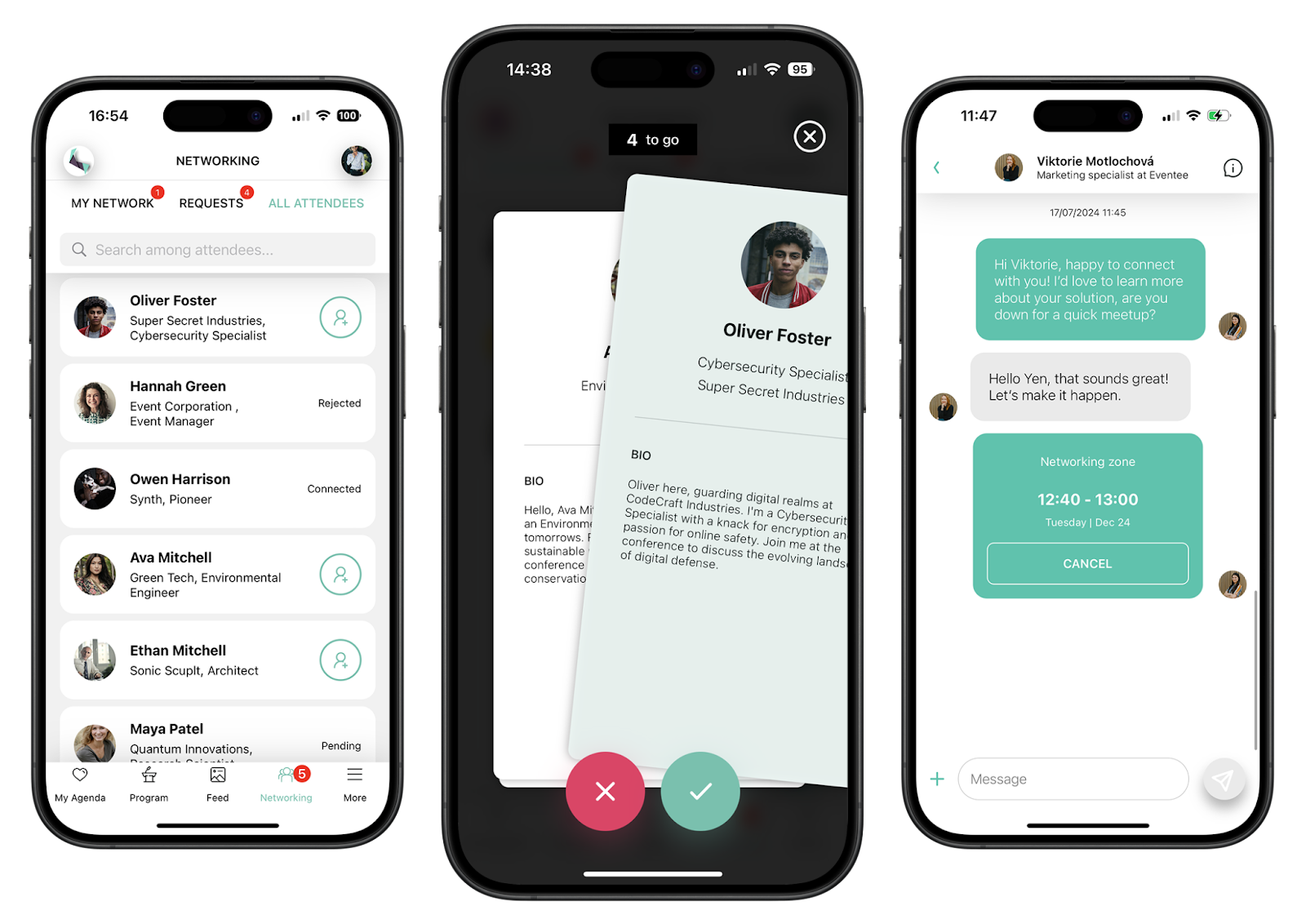
The mobile app is often praised for its exceptionally intuitive design. With more than 3,000 reviews and an impressive 4.8-star rating, it’s clear that attendees genuinely enjoy using it.
Promotion and sponsorship
Just like Whova, Eventee also has a dedicated event website with built-in templates to promote events. The website is no-code, so it’s perfect for beginners as well.
Apart from a website, the platform offers various opportunities to showcase event partners and sponsors. This way, they get proper visibility directly within the app — and therefore, right in attendees’ pockets.
Why Eventee is the top Whova alternative
While Whova is undoubtedly a strong event app, there ARE reasons why organizers look for alternatives. Here are five reasons why many teams are choosing Eventee as their preferred top Whova alternative.
#1 Reason: Transparent and accessible pricing
Because Eventee is a self-service platform, the team strives to keep its pricing fully transparent. All subscription plans are clearly listed on the website, complete with details about what each package includes.
In a market full of powerful but often expensive tools, Eventee stands out as a cost-effective yet capable option, which makes it a great choice in terms of ROI. Plus, they offer a 10% discount for non-profit events.
#2 Reason: Ideal even for smaller events
I often hear that using an event app for smaller events (say, with around 50 attendees) isn’t worth it. I disagree. Even small events deserve to be pampered.
Eventee works well for events of any size — large, medium, or small. Unlike Whova, which offers a vast range of features that can feel overwhelming for smaller gatherings, Eventee focuses on the essentials and keeps things simple.
It provides all the key tools an event manager needs, wrapped in a much more user-friendly experience, according to the G2 verified reviews.
Even with a small group, an app can make a big difference. It helps people connect and enjoy the event to the fullest.
#3 Reason: Intuitive user interface
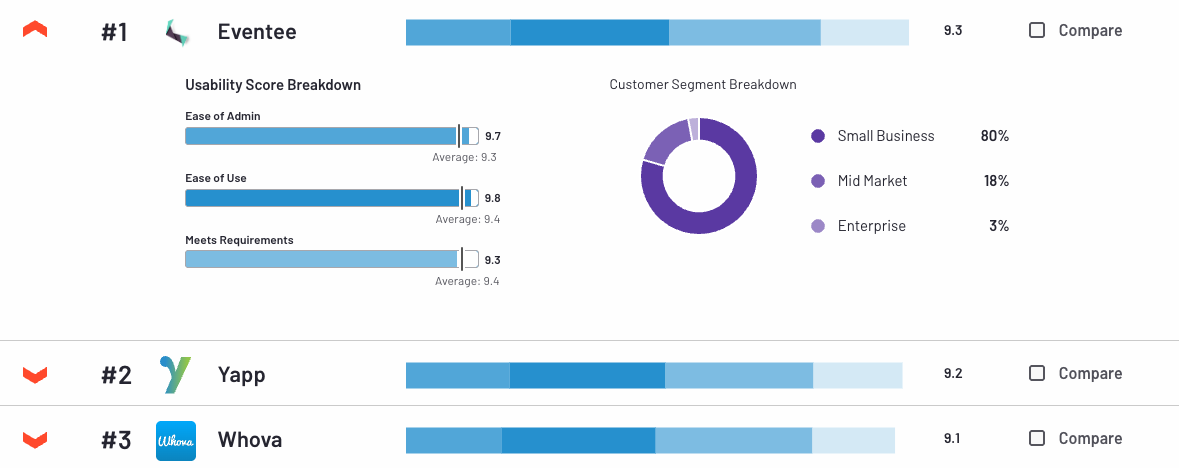
According to Eventee’s G2 page, which manages authentic and verified reviews, the platform and event app builder is consistently praised for its ease of use. When compared to each other, Eventee is clearly ahead. However, Whova is also doing very well.
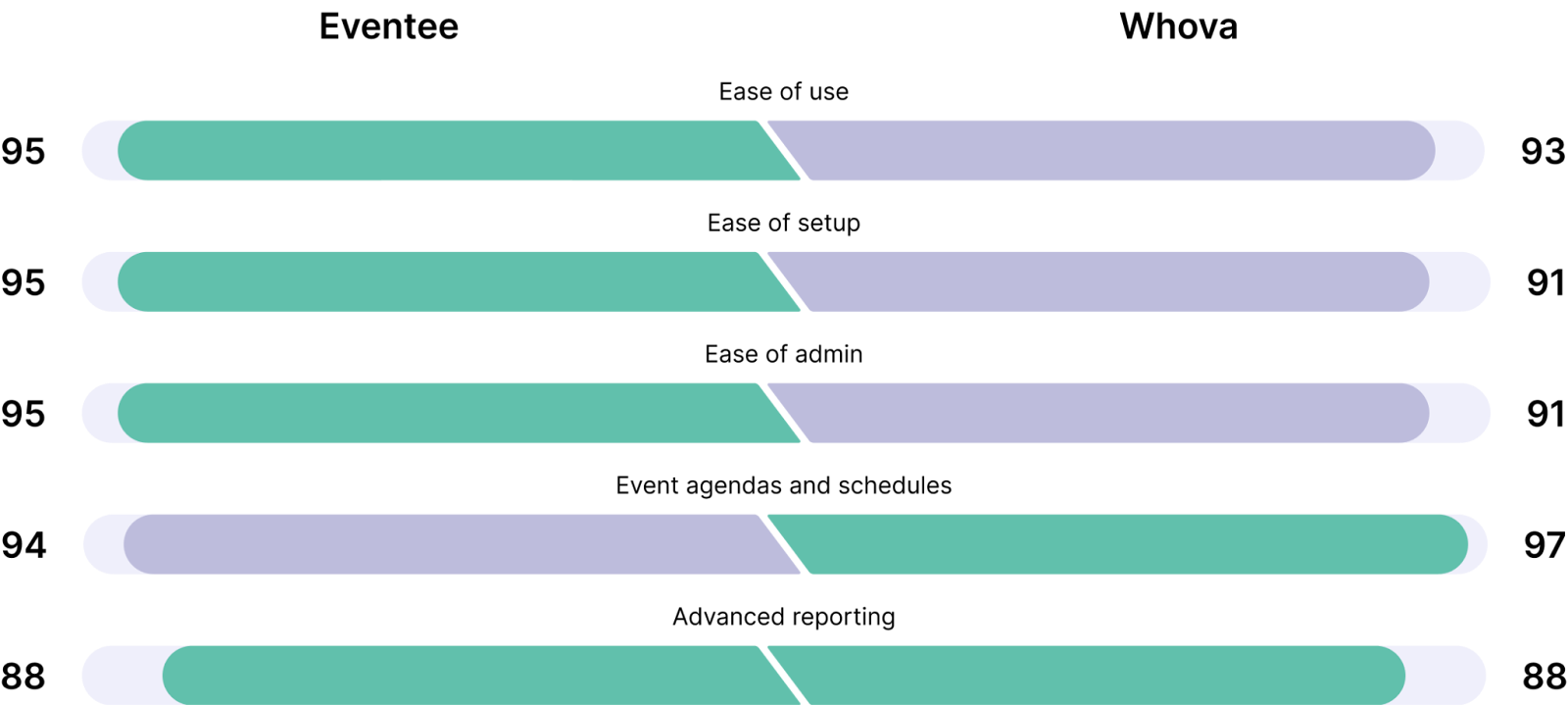
In terms of the mobile app, many reviewers have pointed out that navigating Whova’s event app can be challenging. In contrast, Eventee’s users, across thousands of reviews on the App Store and Google Play, consistently praise its simplicity and intuitive design.
#4 Reason: Short implementation time
The Eventee team set out to make event planning less stressful — and that includes minimizing setup time. Based on setup competitions organized by Eventee at various events, event managers have shown that they can create a complete event in under ten minutes.
Of course, the exact time depends on the complexity of the event and its agenda, but thanks to the platform’s simplicity and intuitive features, the average Eventee user manages to set up their event app in less than an hour.
#5 Reason: Customizable push notifications
In the Eventee app, users receive push notifications from two sources — the Newsfeed, which is managed directly by the organizer, and their personalized agenda. Users can choose which notifications they want to receive from their agenda.
This eliminates spam, and attendees stay informed without being overwhelmed.
#6 Various event app translations
Attendees shouldn't be limited by language to enjoy their events. That's why the Eventee app is translated into 12 languages: English, Czech, German, French, Spanish, Portuguese, Brazilian Portuguese, Norwegian, Slovak, Chinese, Finnish, and Polish.
Localizations make it much easier for attendees to familiarize themselves with the app and interact with each other.
#7 Made in Europe
Many event platforms on the market are designed in the United States, with Whova being no exception.
But in light of recent world events, many event organizers, team leaders or CEOs seek event apps that are based in Europe instead of the United States.
Eventee stands out among US-based event platforms having been founded and developed right in the heart of Europe, Czech Republic to be precise. So if this is one of the factors you're considering on your event app hunt, Eventee is definitely the way to go.
2. Yapp
Overall rating: 4.8 on G2, 4.8 on Capterra
Pricing: transparent and dynamic pricing calculated per app, starting at $399 per year for 1 app (the cheapest option with limited features), extending to $4,990 per year for one app (the most expensive option with multiple admins and all features)
Customer support: chat, email, priority support, and callback phone support
Integrations: Eventbrite, YouTube, Facebook, Vimeo, Twitter
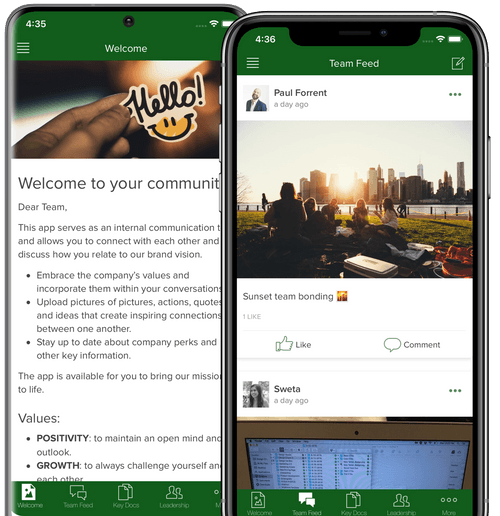
Yapp offers an easy-to-use and drag-and-drop event app builder, which is ideal for event managers with a limited budget. Its core features include push notifications, event schedule, in-app event social feed, live polling, slides, and abstracts sharing.
The combination of its user-friendly app builder and functional features makes it a great Whova alternative for boosting event engagement. However, if you’re looking for a Whova alternative that would manage registrations as well, Yapp might not be the perfect option.
While the platform is praised for its exceptionally easy setup and affordability, Yapp users often complain about missing features and a lack of customization options.
Its pricing can also be quite confusing for some, especially for those who organize multiple events per year. Yapp offers plans per app, not per event, but they generally do not recommend using one app for multiple events.
3. Gther
Overall rating: 4.9 on G2, 4.8 on Capterra
Pricing: Gther offers various packages that can be altered to meet the exact needs. So depending on the demands, event managers can pay from £1,500 up to £4,000.
Customer support: not specified
Integrations: Gther supports connections with a wide range of tools from Hubspot to PayPall or Google Calendar.
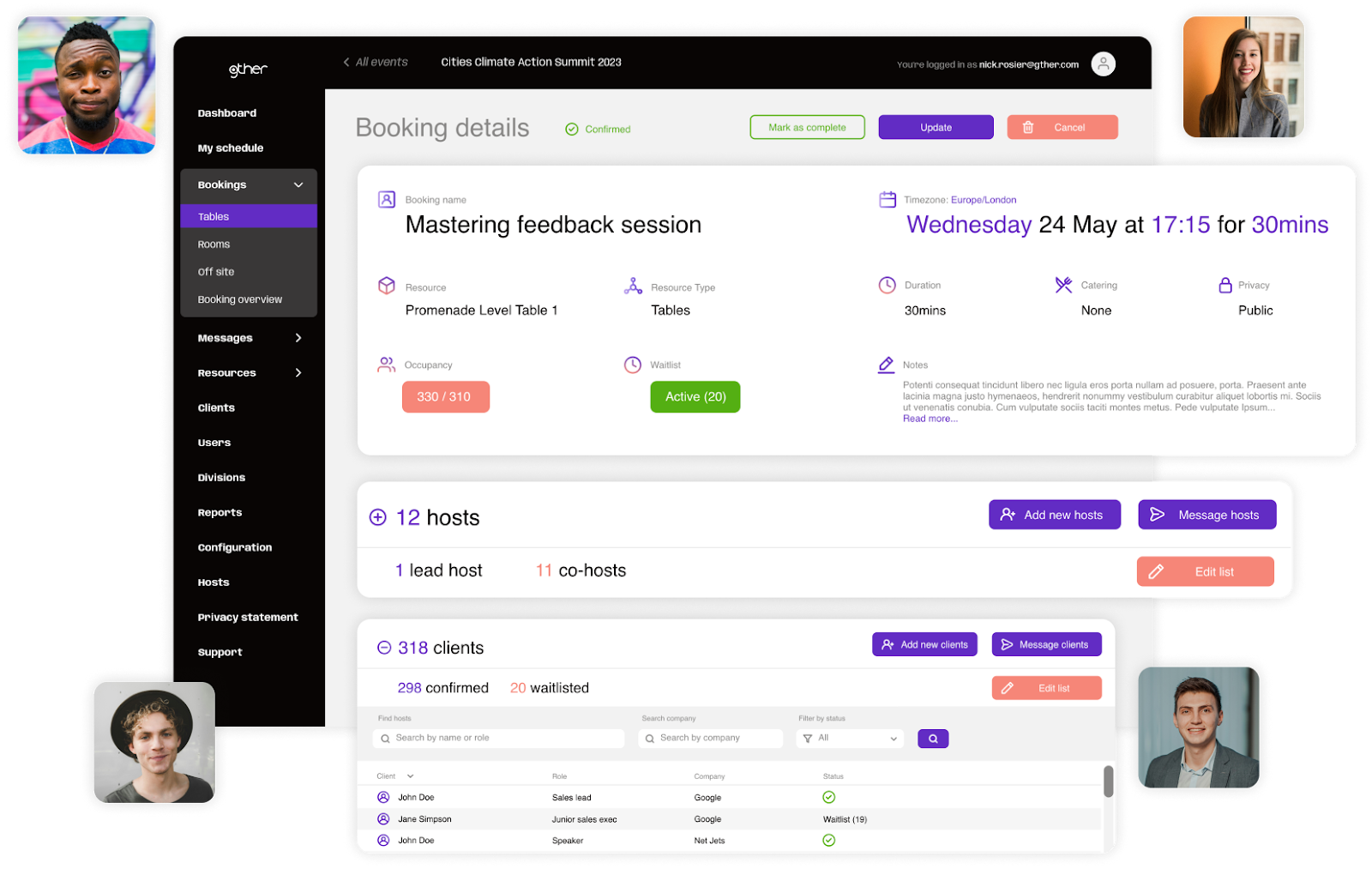
Gther is a modular event-technology platform where event managers can pick the features they need for their events. It’s ideal for bigger and complex events, such as trade shows or conferences, both in-person and online.
Some of its notable features that contribute to its enterprise-geared use include for example RSVP, ticketing, scheduling, event assistant, and more.
Users emphasize efficient onboarding and exceptional customer support. They also appreciate seamless event management experience. But they often find the learning curve steep and navigation too complex.
4. RingCentral Events
Overall rating: 4.5 on G2, 4.5 on Capterra
Pricing: free trial, three subscription plans starting at Events Pro with $1188 per year (note that this subscription is for webinars and virtual events only)
- Higher-tier subscriptions for hybrid and in-person events range from $2388 to $3588 per year
Customer support: chat, email, live support during events for higher-tier subscriptions, knowledge base
Integrations: Slido, Marketo, Kahoot!, Mailchimp, Hubspot, and many more.
RingCentral has its roots in cloud communications, but in 2023, it acquired the Events and Session assets from Hopin. This step brought advanced event technology into its portfolio.
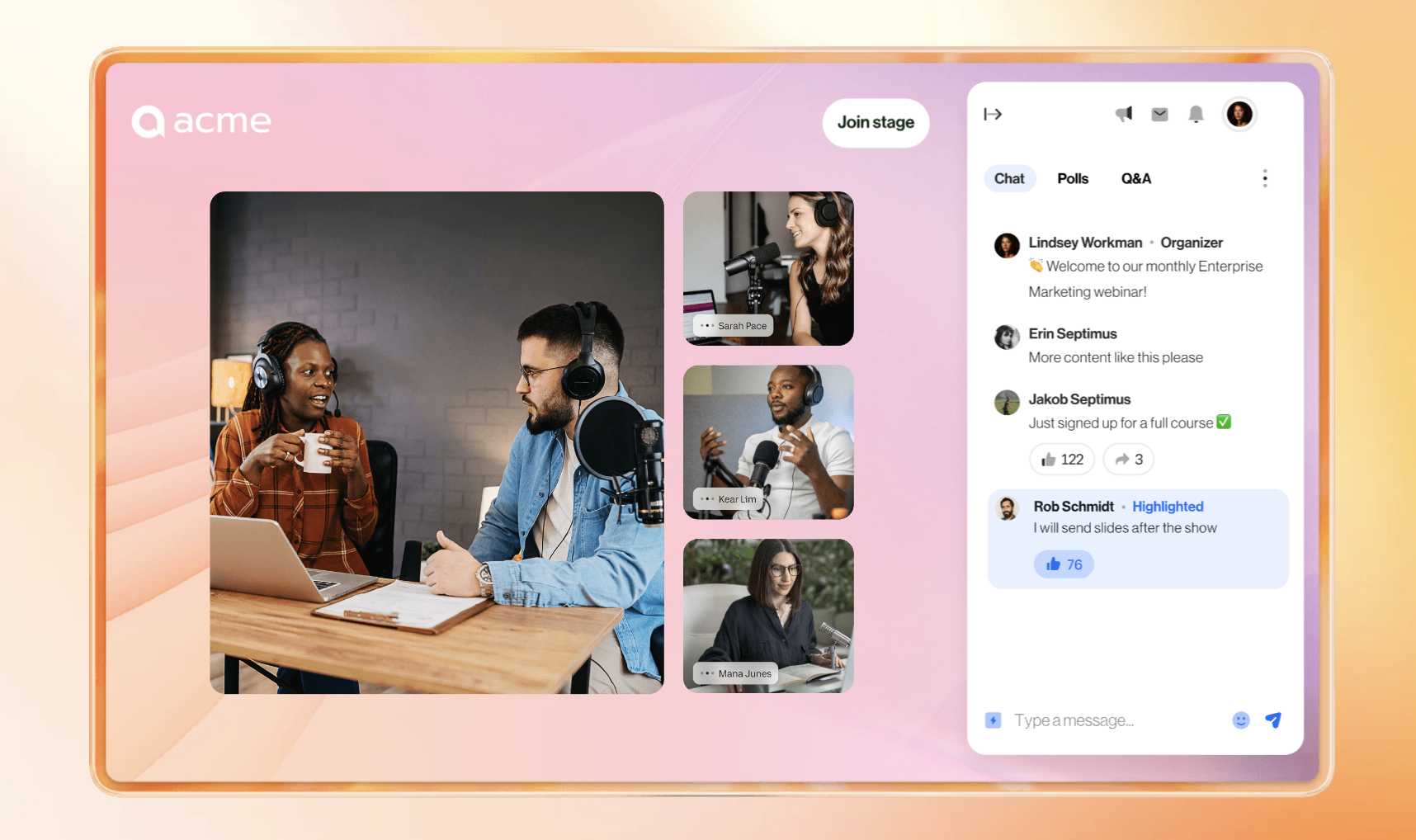
As of now, RingCentral Events is a versatile solution mainly focused on virtual event experiences or webinars. It offers various engagement features that are necessary for virtual events, AI-powered Q&As, agenda management, and analytics.
The platform offers a 30-day free trial with 10 organizer seats and up to 1,000 registrations. They provide transparent options for both monthly and annual billing, which allows easy cost calculation.
RingCentral Events is praised by users for its engagement features and attendee management tools. However, some users mention a steep learning curve, especially in terms of more complex events or customizing advanced features.
5. Eventbrite
Overall rating: 4.4 on G2, 4.6 on Capterra
Pricing: free to publish events, ticketing fee for paid events, pro plan with enhanced marketing and email features
Customer support: knowledge base, live chat
Integrations: Zapier, Make, API
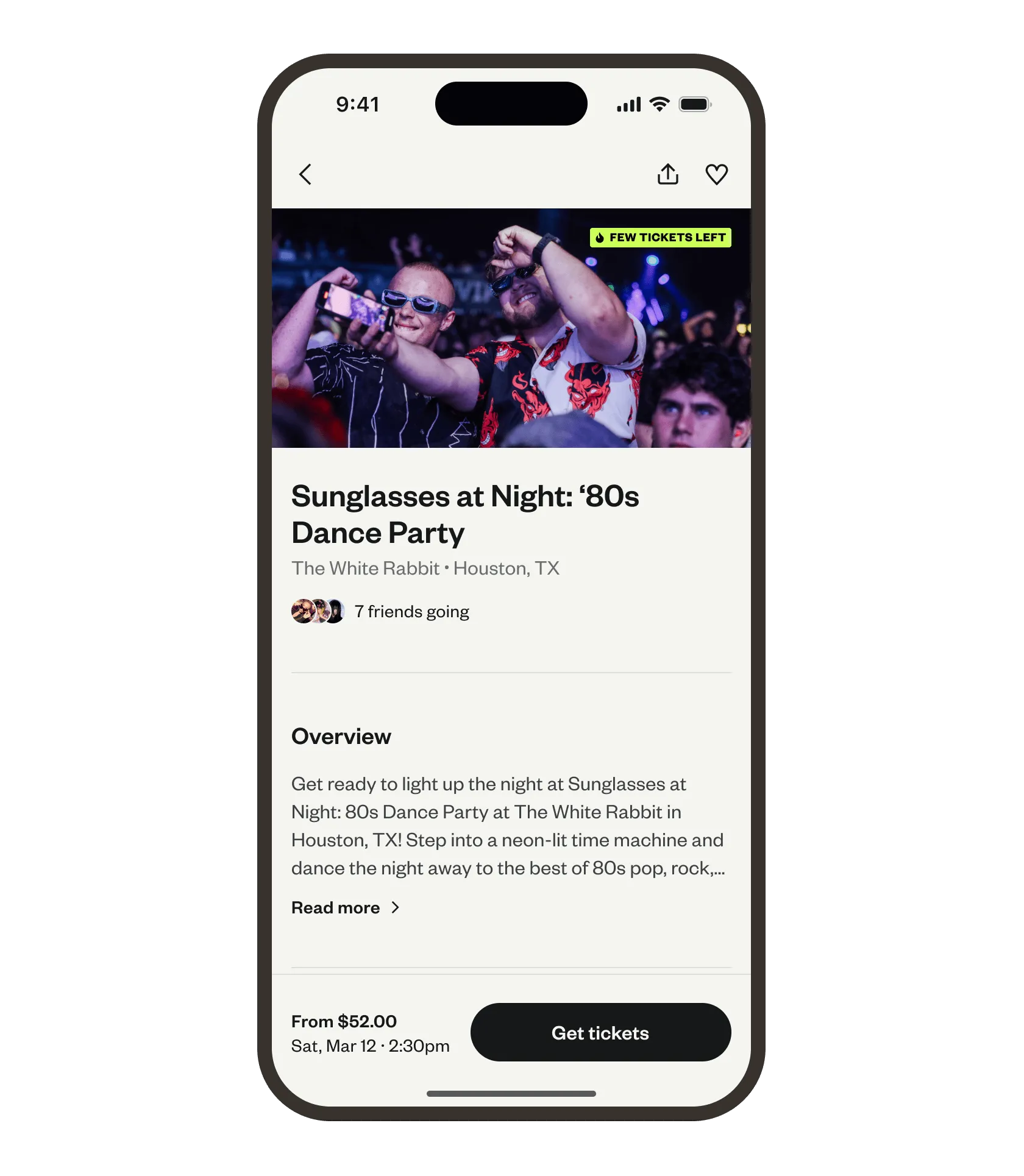
Eventbrite is a great place for people to discover local events and for organizers to promote theirs thanks to effective marketing tools. But it’s more than just an event listing site! Did you know that it also functions as a registration, ticketing, and check-in software?
As an all-in-one ticketing and registration platform, Eventbrite allows organizers to create event pages, sell tickets online, send email confirmations, and access basic analytics on sales and attendance.
Eventbrite is a strong alternative to Whova if your main goal is to promote your event and manage registrations. It’s user-friendly, functional, and free to use for free events (fees apply only to paid tickets). Its intuitive interface also gives it an edge over Whova, which tends to have a steeper learning curve.
However, Eventbrite does lack certain in-event features, such as session management, engagement tools, and networking options, which may be important for more complex or interactive events.
6. Guidebook
Overall rating: 4.4 on G2, 4.7 on Capterra
Pricing: non-transparent pricing, need to request custom quote
Customer support: email and phone support
Integrations: Zapier, Marketo, Splash, Mailchimp, Eventbrite, Expo Pass
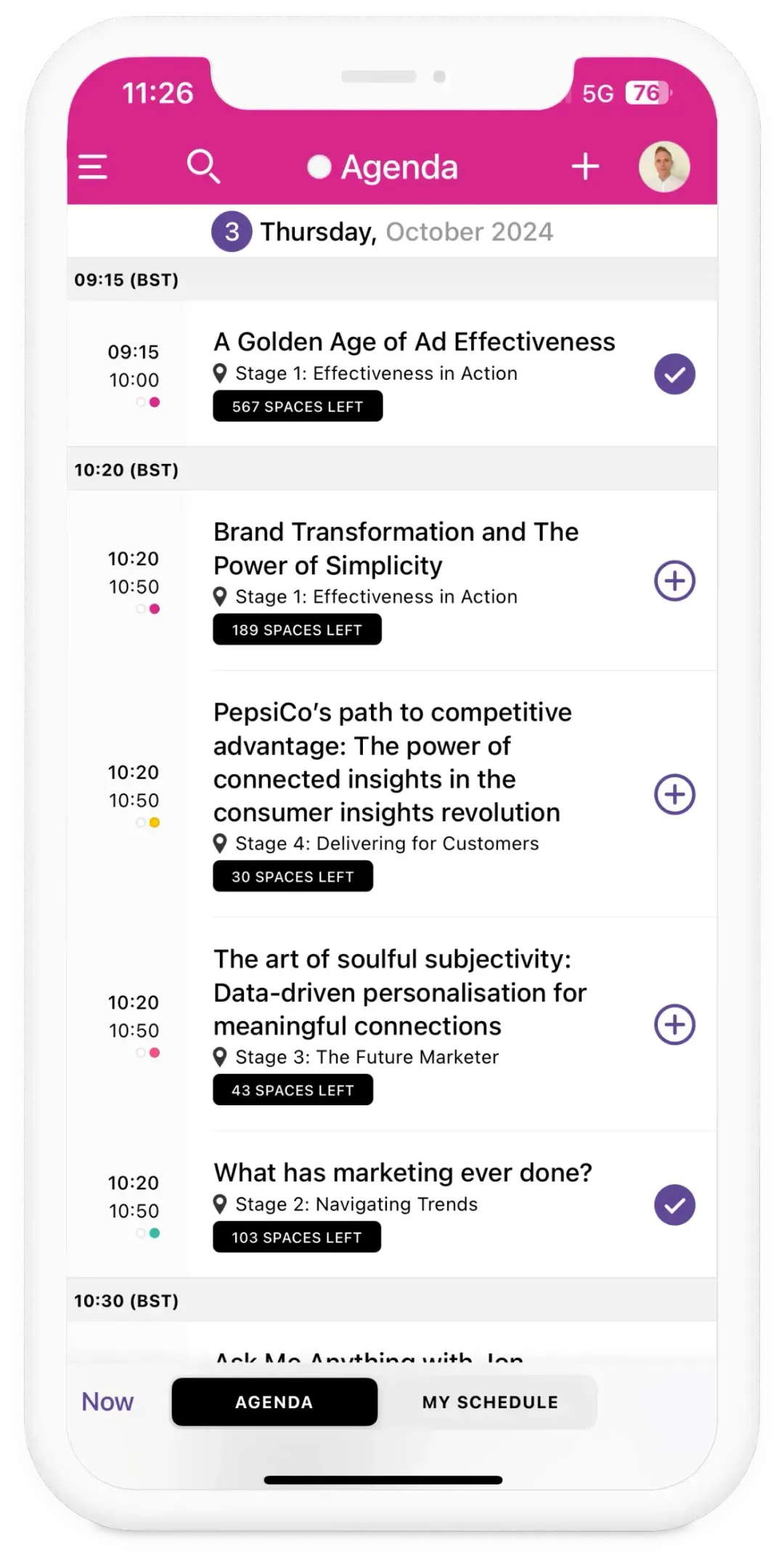
Guidebook is a no-code event platform focused on building event apps with an intuitive drag-and-drop interface. The software is designed to help event organizers manage event content, boost engagement, support networking, and more.
Users praise Guidebook’s intuitive setup and customization options. On the other hand, they are typically disappointed by missing features or complain about their pricing structure.
Honorable mentions
We’re focusing mainly on Whova alternatives that are easier to use and lighter on the budget. We’ve also included a few strong competitors that deserve recognition, even if they don’t check every box.
7. Cvent
Overall rating: 4.3 on G2, 4.5 on Capterra
Pricing: non-transparent pricing, price available upon request
Customer support: 24/7 chat, call support, email
Integrations: Salesforce, Marketo, Hubspot, Microsoft Dynamics 365, …
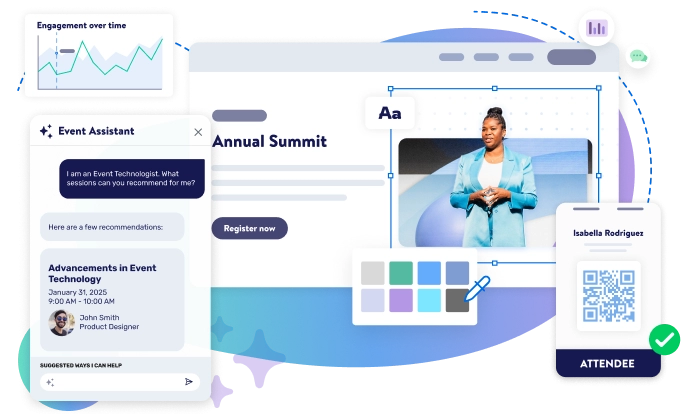
Cvent is a robust event management platform that covers nearly every aspect of event planning, just like Whova, from finding hotels and venues to promotion, attendee engagement, and lead generation.
It’s considered one of the leading players in the industry. By evolving the product and acquiring smaller event tech vendors, Cvent has built an end-to-end solution that includes features for almost every detail an organizer might need.
Whether it’s event diagramming or speaker management, the platform is designed to make every event dream come true. This breadth makes Cvent a strong Whova alternative; however, it does come with some drawbacks.
With so many advanced features, the platform can feel overwhelming, and organizers often find themselves relying on customer support for changes that should be simple. Another common criticism is its lack of transparent pricing, with many users reporting that Cvent is on the expensive side.
8. BigMarker
Overall rating: 4.7 on G2, 4.8 on Capterra
Pricing: non-transparent prices
Customer support: email, knowledge base, chat
Integrations: Marketo, Webhooks, ActiveCampaign, Stripe
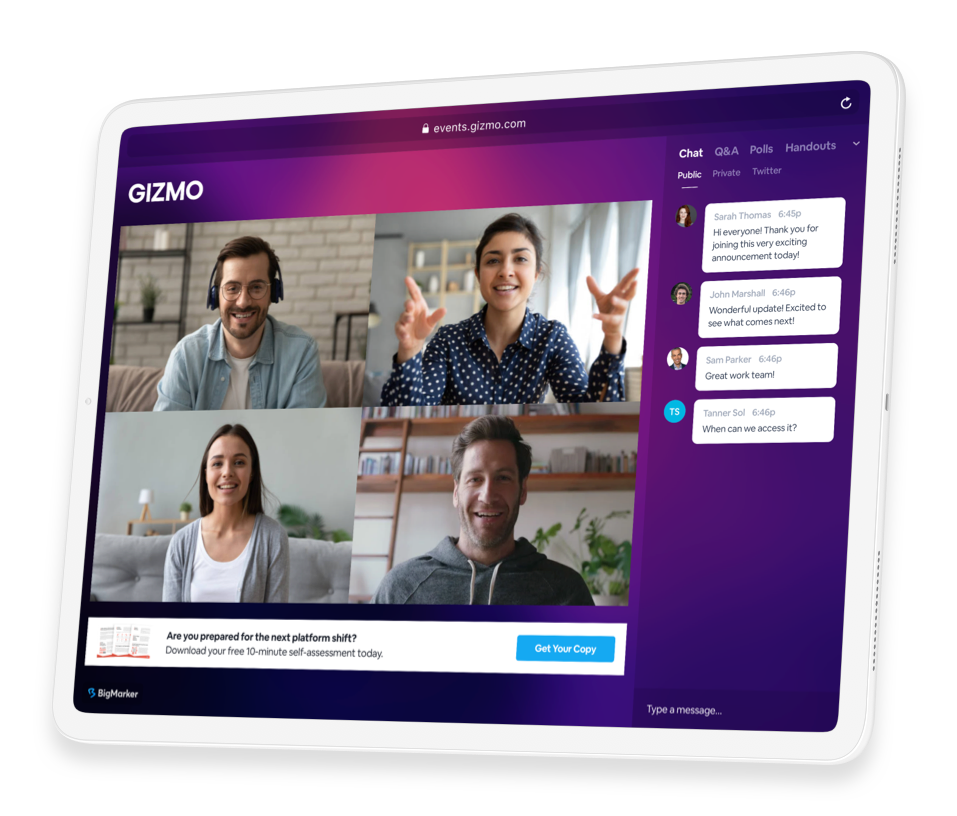
BigMarker is primarily a browser-based platform for webinars, virtual, and hybrid events. Its main goal is to make event planning smoother with the browser-based approach, but the platform does offer white-label mobile apps for all kinds of events.
BigMarker stands out for its strong focus on customization, interactivity, and integrations with marketing and CRM tools. This gives it a great competitive advantage over Whova, which is said to have limited customizing capabilities.
Key features include registration and ticketing, live streaming and screen sharing for virtual sessions, networking tools, and detailed analytics.
Overall, BigMarker is a powerful choice for hosting webinars and virtual events. However, its extensive feature set may feel overly complex or excessive for smaller, simpler events.
The platform is a powerful tool for webinars and virtual events, with its advanced features designed for virtual formats. However, some event organizers might perceive these features as too niche, and they can be an overkill for smaller use.
9. Eventtia
Overall rating: 4.4 on G2, 4.4 on Capterra
Pricing: transparent and dynamic pricing that increases with the number of attendees, starting at $1,500 for 250 attendees, with key features
Customer support: onboarding, email
Integrations: API, Zapier, Webhooks, streaming tools like Vimeo or Zoom
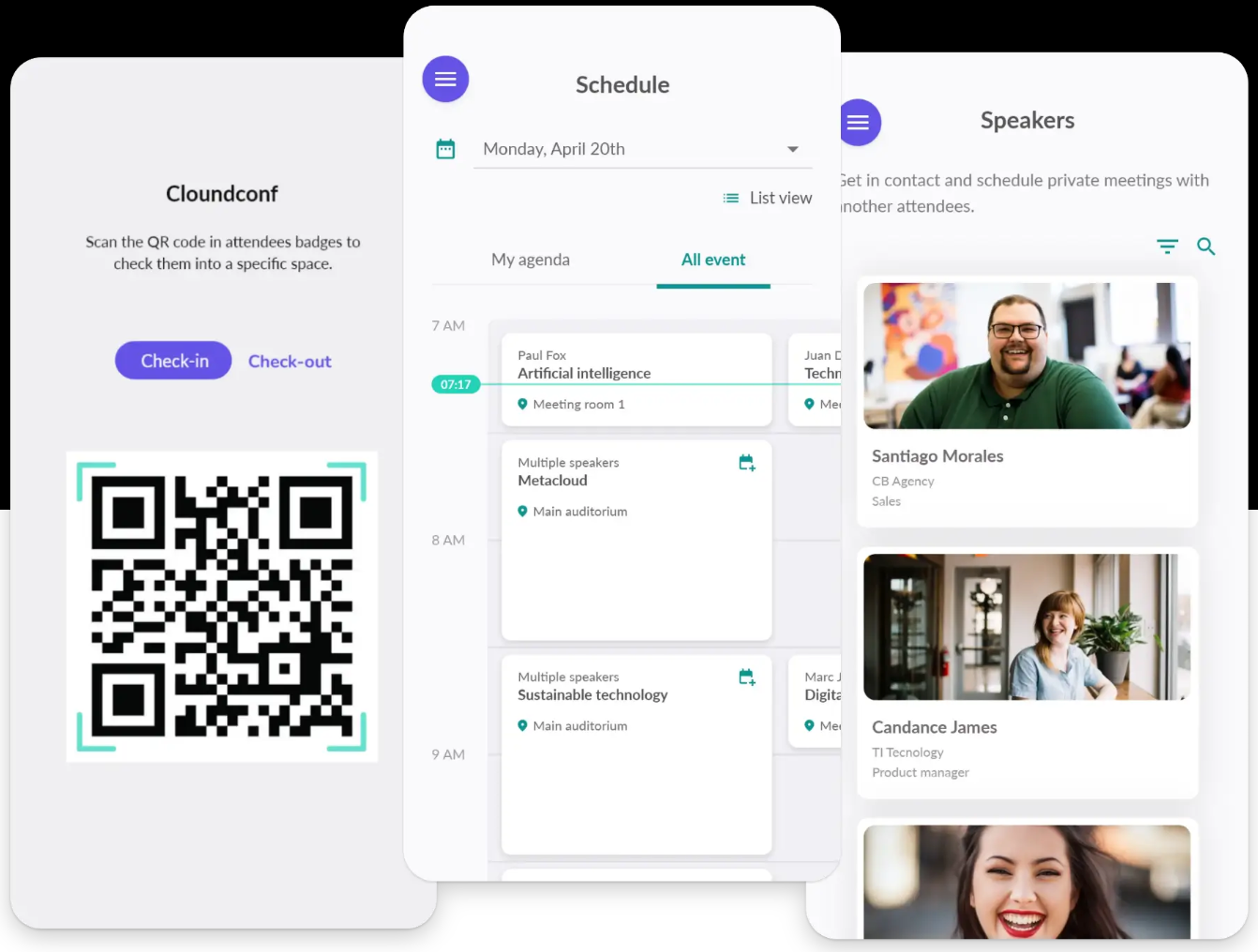
Eventtia is an all-in-one event management software that focuses on delivering great experiences for events of any size or format. It includes all the essential features that organizers often look for in a Whova alternative — such as registration, virtual and hybrid event support, attendee engagement, and networking tools.
While Eventtia is known for being reliable and feature-rich, its pricing can become quite steep. The platform uses a dynamic pricing model based on the number of attendees, and with 5,000 participants on the highest-tier plan, costs can reach up to $17,500.
🥁 Best use cases for alternatives to Whova
Each Whova alternative on this list is suitable for different kinds of events. It can be difficult to choose which will best suit your event needs, so we added a short guide titled “best use case” that will help you choose the one most tailored to your needs.
Small to mid-size events heavily focused on networking
Use case: Event managers hosting networking-focused events, such as investment pitches, summits, and internal company meetings. Whova might be too complex for such events.
Best event app for this use case: Eventee
- Eventee, often called the business Tinder for its swipe-based networking tool, is the easiest-to-use event platform that makes it really easy for attendees to match and connect. With its set of engagement tools, the event app makes events feel more tight-knit and connected.
Budget-conscious events
Use case: Non-profit or other small organizations that need a cost-effective solution for their events. Whova is too expensive for them.
Best event apps for this use case: Yapp, Eventee, Eventbrite
- Yapp and Eventee are the most affordable solutions on this list. Despite the lower price tag, both these solutions offer great event apps suitable for such use cases. Yapp is even cheaper, but Eventee offers a more similar set of features to Whova.
- Eventbrite is free as long as the tickets are free, but it offers considerably fewer features than other platforms on this list.
Bigger and complex trade shows and university orientations
Use cases: Universities and large companies looking for an event solution that would handle immersive trade shows and complex orientations. They probably need Whova’s complex set of features, but need a more user-friendly interface.
Best event apps for this use case: Gther, Guidebook
- Gther and Guidebook both focus on helping event managers deliver these kinds of events, but are perceived as more user-friendly than Whova, according to G2.
Virtual events and webinars
Use case: Companies hosting virtual events or webinars looking to reach audiences all over the globe while replicating the real-life experience.
Best event app for this use case: RingCentral Events
- With its focus on high-end broadcasting and virtual venue experiences, RingCentral Events is a great alternative to Whova if you’re planning a virtual event.
Key takeaways
Event managers commonly look for Whova alternatives because of cost concerns, unintuitive UX, or overwhelming push notifications.
Every event platform on this list is a solid alternative to Whova, so whichever one you choose, you’ll be in good hands. Cheaper and easier to use Whova alternatives and competitors include, for example, Eventee, Yapp, Guidebook, or Eventbrite. Some notable mentions are Gther, RingCentral Events (used to be Hopin), Cvent, BigMarker, and Eventtia.
Eventee offers a similar range of features for a more affordable price and without hidden costs. According to G2 and user reviews, the platform is even easier to use than Whova.
Despite its slightly confusing pricing structure, Yapp stands out as one of the most affordable Whova alternatives. However, since it lacks certain features (such as registration), you may need to combine it with other tools to cover all aspects of event planning. This means that the costs will add up, and it won’t be as affordable as it seemed in the beginning.
Gther is a great Whova alternative suited for bigger and more complex events. Unlike Whova, Gther offers detailed and transparent pricing, so users know what they pay for. But as with any larger platforms, its extensive feature set can make the platform feel complex for some users.
RingCentral Events used to be Hopin and was acquired by RingCentral. It is primarily suitable for virtual events and offers a generous free trial (but only for 30 days). For smaller events, it can be complex.
Eventbrite is primarily an effective event marketing tool. But it’s a great option for events with no tickets, such as company or university events, because its ticketing and registration platform is free for unpaid tickets. But it lacks certain features valuable for in-event management, such as networking or agenda administration.
Guidebook offers similar features to Whova and is often praised for its exceptional ease of use. But users complain about missing features or its pricing structure.