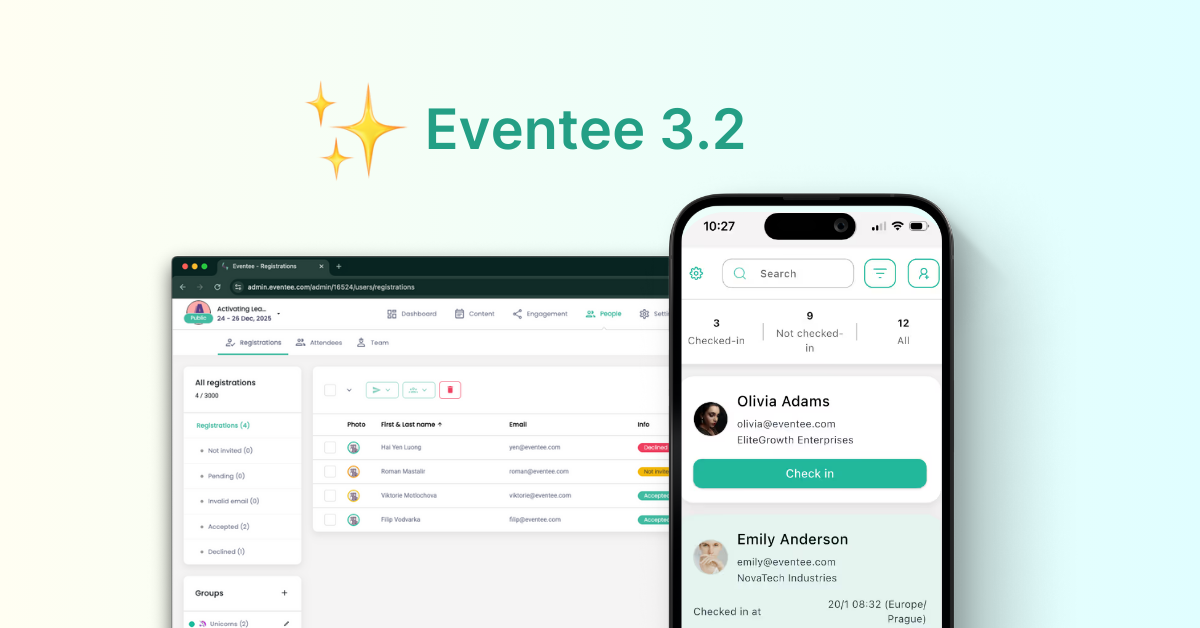

The Eventee platform ages like fine wine – it gets better with every update. And this time? We're bringing you one of the most requested improvements yet.
But don't you worry, it's still the same platform with the same purpose – making events more engaging and simply better without overcomplicating things. With newly added features, you'll have more control over the event planning process from the beginning to the end.
Welcome the new era of Eventee that takes your popular event platform from an attendee engagement app to an end-to-end solution. Your favorite event software now offers registrations and check-in, taking even more stress off your shoulders during event planning.
And the best part is – the registration feature is free for all our users, whether you're on Solo, Business, or Enterprise plan! Check-in is included in our Enterprise plan and offered as an add-on to Solo and Business plan.
Now, let’s take a closer look.
🎉 Introducing Registrations
Event managers often have to compromise between ease of use and rich feature set. Robust, complex platforms may offer every niche feature imaginable but they often fall short in usability. Eventee, best known for its intuitive UI, has once again raised the bar.
With Eventee's Registration feature, you can:
- send event invitations and collect RSVP responses to see who will come to your event
- create custom form fields to gather all the information you might need about your attendees
- set up easily discoverable event website that will help you gather more registrations and sell out your event
- track attendance and assign registrants to groups
All within A FEW clicks!
How it works
Even when creating complex features like Registrations, the Eventee team kept ease of use as the top priority. No more spending unnecessary time wrestling with technology.
Make sure your event is public and your registrations are open before inviting people to register.
Sending your first RSVP list is only a matter of moments.
- In the tab People > Registrations, import your first registrants.
- Select imported registrants and send them an email invitation with RSVP.
- See the status of the invitations in real time.
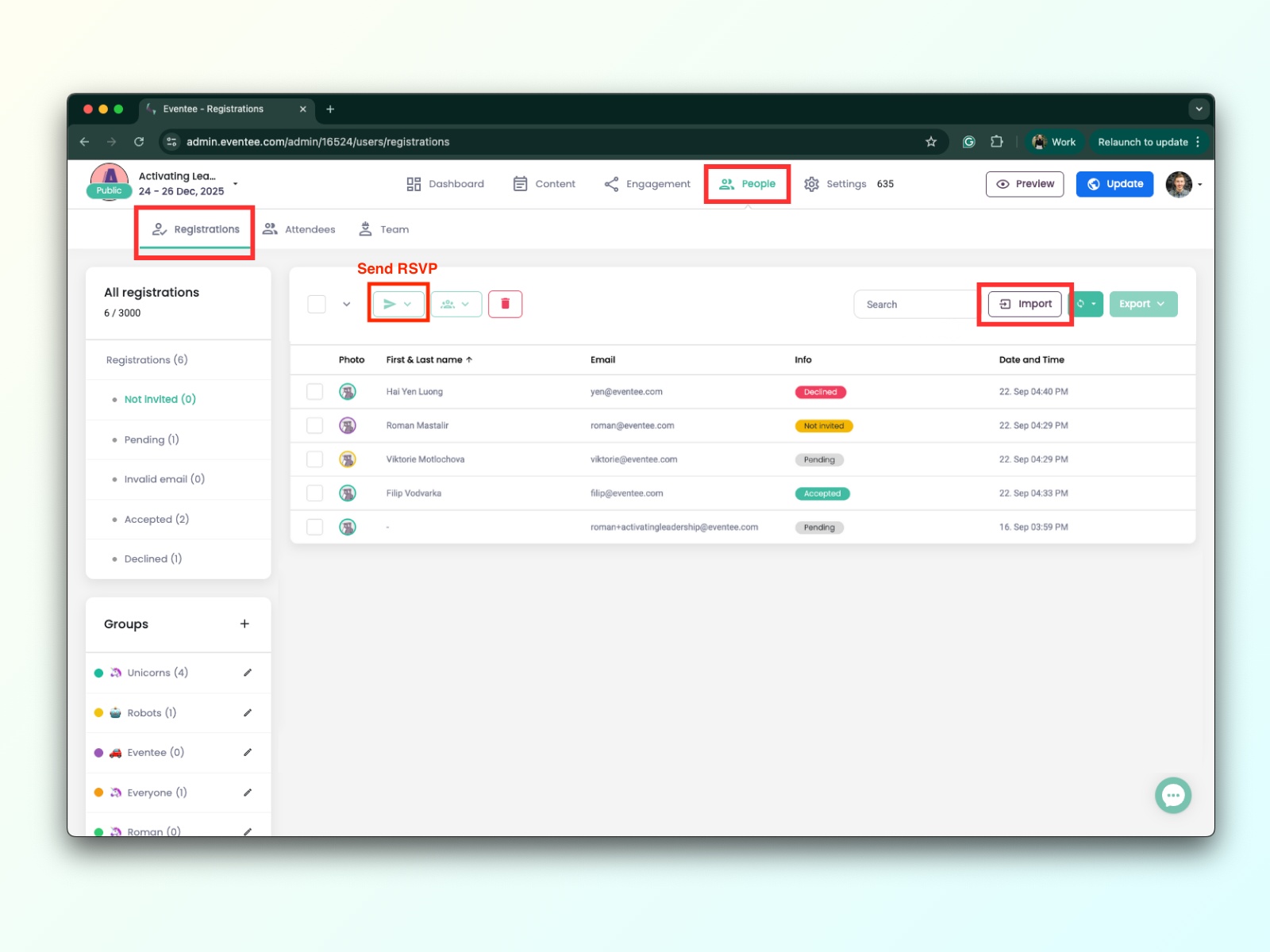
And voilá! Once a registrant accepts your invitation, they’ll be prompted to complete the registration form and will appear in the tab Attendees.
Beyond standard RSVPs, guests can register through the registration link you share with them, or directly via the event website you create within Eventee.
For more details, read our article on how to use the Registration feature.
And the magic of Eventee doesn’t stop there! This feature gives you plenty of flexibility to play with. For example, you can assign your registrants to custom groups if your plan allows groups. This lets you personalize their experience and share only the information that matters to them.
For more details, read our article on how to use the Groups feature.
Custom registration forms
The new package of updates also includes custom registration forms which allow you to ask additional questions tailored to your event. This way, you collect exactly the data you need, whether it's dietary restrictions, merch sizes, or anything else that is important.
Choose from 10 field types that cover everything from text- and option-based inputs to file uploads.
Here's a step-by-step tutorial to help you create a custom registration form for your event.
.png)
🥳 Introducing Check-in
Event apps were primarily designed to replace printed agendas and simplify event planning process. That's why, another life-changing feature that we're rolling out this year is Check-in, a long-requested upgrade that cuts down one of the most time-consuming parts of any event. Now, you won't need printed sign-in sheets that only keep guests in lines. Eventee's Check-in feature will speed everything up so your attendees can enjoy the event to the fullest.
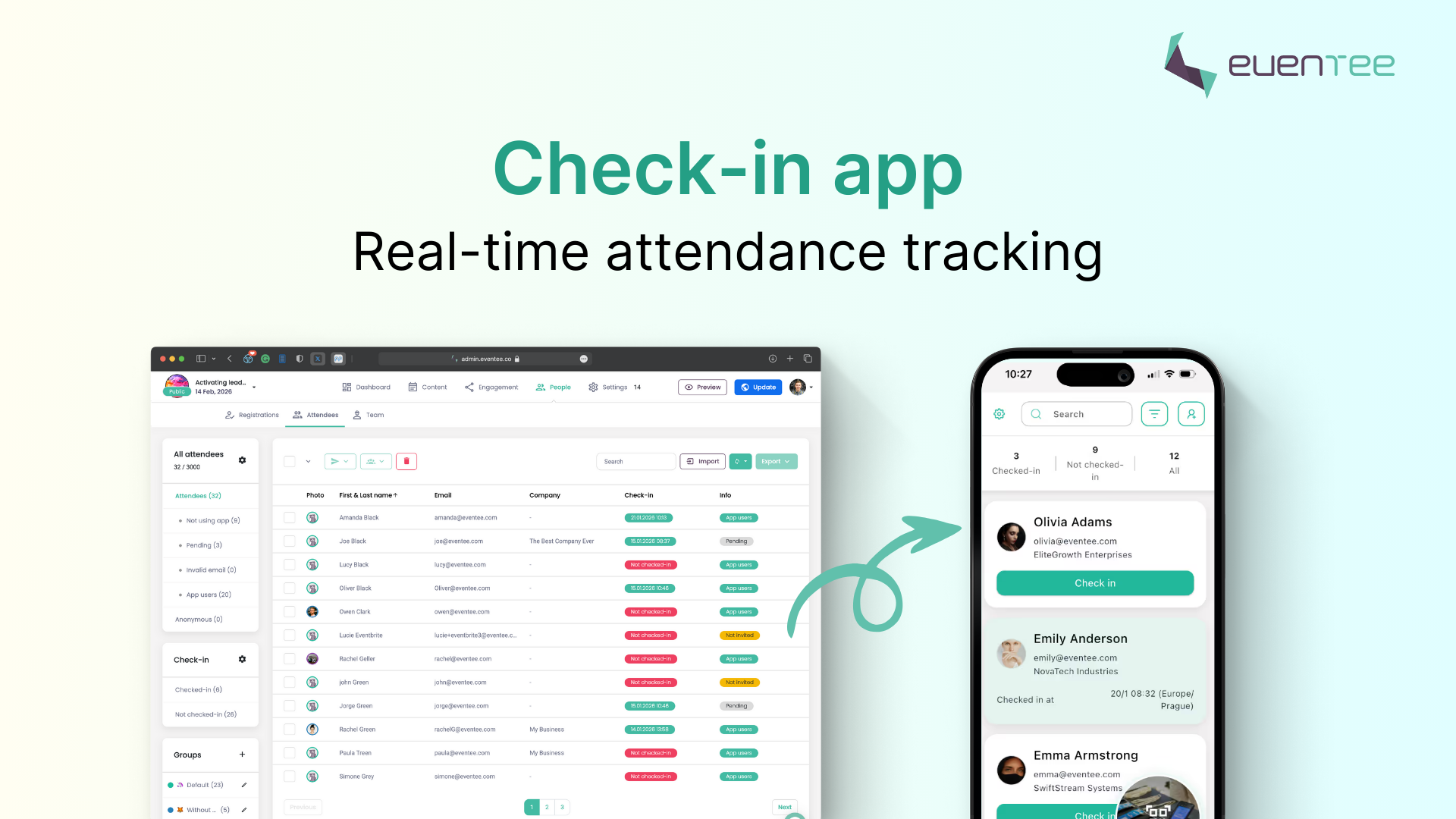
With Eventee's Check-in, you'll get a dedicated app you can share with your team. Together with our Registration feature, you can open the list of registered attendees and quickly find who arrived by scanning their tickets — all with just a few taps.
How it works
To use the Eventee Check-in app on your device, you don’t need access to event administration — you just need to download the app and insert the correct PIN code. This means you can safely share the app with hostesses or anyone who isn’t authorized to make any changes to your event in Eventee.
Here is how to activate the Check-in feature and open your event on the check-in app.
- Go to the tab Settings > Features.
- Activate the Check-in feature by toggling the button.
- Click on the Manage button to open Check-in mode, where you will find the check-in app magic links and access PIN codes.
- Scan the QR code with your mobile phone or click on the link on your computer to open the app.
- Insert the PIN code to open the list of expected attendees and start scanning tickets.
The Check-in feature offers additional settings, allowing you to adjust its behavior to suit your needs. Learn more in our tutorial on how the Check-in feature works.
Coming soon
To complete our Check-in feature, we are currently working on badge label printing.
The goal is to make the entire check-in process faster and more professional, so your team can focus on welcoming guests instead of managing paperwork. Quickly verify a registrant’s ticket, check in attendees as they arrive, and print badge labels instantly.

This feature is literally about to drop, so stay tuned for the release!
....
With these new additions, Eventee brings every part of your event together in one place. Pre-event tools like registration, attendee segmentation through custom groups, and email invitations help organizers prepare, promote, and set everything up long before guests arrive.
Once the event starts, Eventee is the top platform to rely on for smooth execution. Its standout engagement features — live polls, push notifications, networking, gamification, and more — are likely what caught your attention in the first place. Eventee is known for keeping attendees entertained and informed while giving your event a far more polished look than those outdated apps that feel like they were designed by someone’s grandpa (with all due respect to grandpas!).
And even after the event ends, Eventee doesn't idle. The platform offers valuable analytics to evaluate your event success and determine what areas to improve. Not only that, we believe that engagement shouldn't disappear the minute the event wraps up. That's why Eventee is built around continuing meaningful relationships event after the curtain closes.
From seamless engagement tool to simple end-to-end platform – Eventee transformed into a tool that does it all.